
Best speed reading apps for iPhone should be judged by workflow, not by hype. A reading app is only as good as the material it helps you finish. That means the right app depends on what you read, how you save it, and whether you need visual pacing, ordinary book reading, audio support, or a mix of all three. If you start there, the category gets much clearer.
What makes a speed reading app worth installing
The best speed reading apps for iPhone do not all solve the same problem. Some focus on paced visual reading. Some focus on audiobooks or text to speech. Some handle books well but do not really solve article backlog. Some look clever for five minutes and then become tiring.
That is why a useful comparison should start with a short checklist.
Can the app bring in your actual reading material? Can it save your place? Can it adjust pace? Can it change modes when the text changes? Does it feel calm enough to use for more than one short session?
Those are better questions than “which app promises the highest WPM?”
RSVP Reader
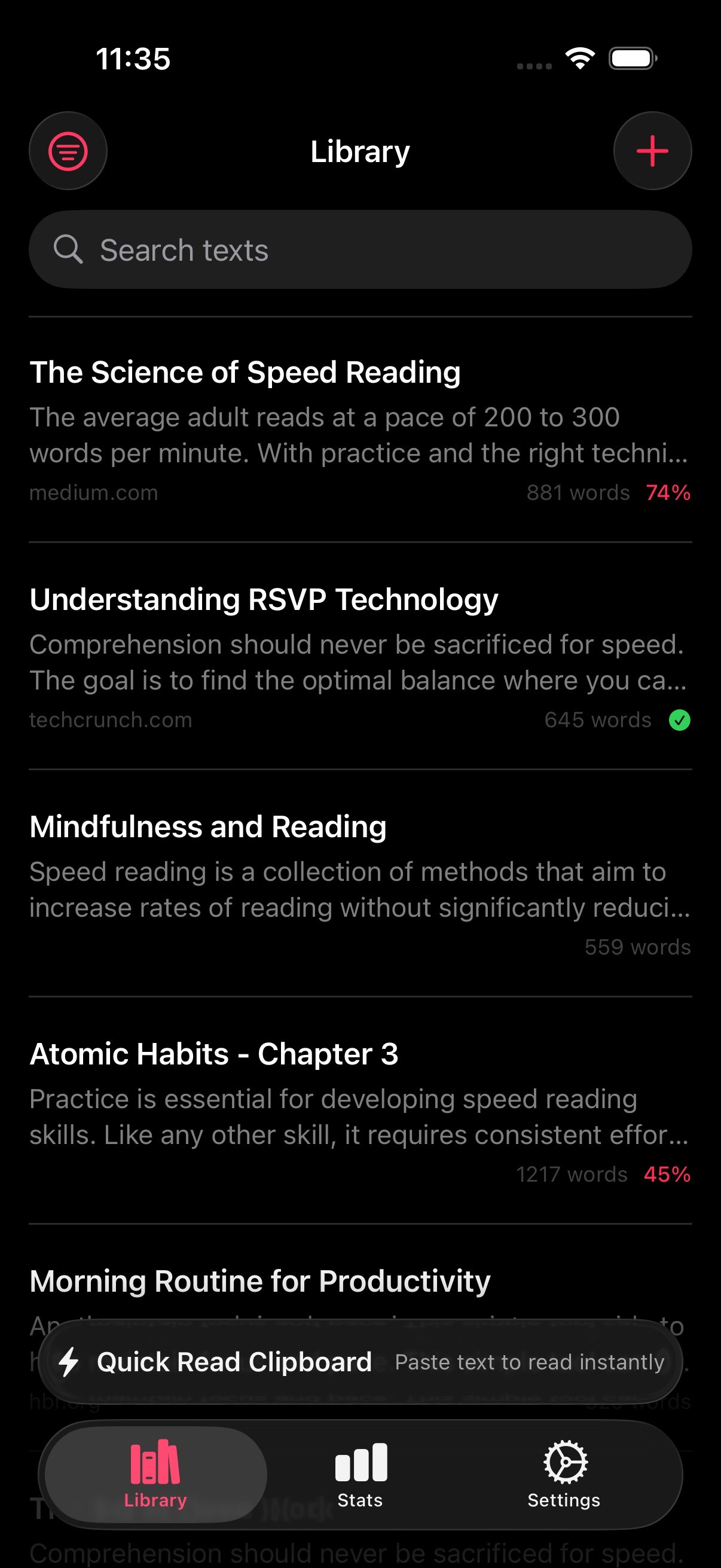
RSVP Reader is strongest when you want a focused iPhone reading workflow that can handle articles, copied text, PDFs, scans, and EPUBs. The App Store listing highlights paced reading modes, adjustable WPM, ORP highlighting, punctuation pauses, reading goals, saved progress, and privacy-first positioning.
Here is why RSVP Reader belongs high on a list of the best speed reading apps for iPhone. It is not only trying to change how text looks. It is trying to reduce the whole path from capture to reading. If you keep a backlog of saved links, documents, and book chapters, that matters more than a flashy claim about speed.
Start with speed reading app for iPhone if you want the product view, or RSVP Reader vs Outread if you want the closest category comparison.
Outread
Outread has owned a lot of public conversation around mobile speed reading for years. Its site and App Store page lean into speed reading, reading practice, and variable pacing. It is still one of the clearest references for people who already know they want a speed-reading app rather than a broad reading platform.
If you are comparing the best speed reading apps for iPhone, Outread is the app that most clearly overlaps with RSVP Reader on category intent. The difference is that RSVP Reader pushes harder on import breadth, saved workflow, and the broader feature set around reading sessions.
If Outread is the app you are most likely to compare, use RSVP Reader vs Outread.
Speechify
Speechify belongs on the list because a lot of people who say they want to “read faster” are really looking for audio-first consumption. Speechify’s App Store listing centers on text to speech and spoken playback across documents and articles. That makes it a good fit for people whose main problem is not visual reading speed but the need to listen instead of look.
The tradeoff is obvious. If you want strong visual control, direct pace changes, and a reading screen built for your eyes, a speed-focused reader may fit better. If your days favor audio, Speechify has the clearer edge.
That is why RSVP Reader vs Speechify and speed reading app vs text to speech are both worth reading.
Apple Books
Apple Books is not a classic speed-reading app, but many iPhone users start there because it is already on the device. Books is strong for ebooks, audiobooks, PDFs, bookmarks, and a familiar Apple reading setup. It makes sense if your main goal is a default library for long-form reading.
It makes less sense if your problem is article backlog, paced first-pass reading, or switching among imports from multiple sources. That is where RSVP Reader can feel more deliberate.
For that reason, Apple Books belongs on the list of best speed reading apps for iPhone mostly as a baseline comparison, not as the best answer for speed-focused reading itself.
Bionic Reading
Bionic Reading is a different kind of entry in this list because it is more method than broad reading workflow. The official site frames it as a way to guide the eye through emphasized fixation points inside words. If you mainly want a visual method layered onto paragraph reading, that is the comparison to make.
If you want import workflows, saved progress, mode switching, and pace control, a full app like RSVP Reader will usually make more sense.
That is why RSVP Reader vs Bionic Reading matters even though the two are not exact mirrors.
How to pick among the best speed reading apps for iPhone
Pick RSVP Reader if your backlog includes articles, PDFs, copied text, scans, and EPUBs, and you want one iPhone workflow that helps you move through all of them faster.
Pick Outread if you want a classic speed-reading comparison point and a known name in the category.
Pick Speechify if your real goal is audio-first consumption rather than paced visual reading.
Pick Apple Books if your main need is a familiar ebook shelf and built-in Apple reading.
Look at Bionic Reading if you are mostly evaluating a visual emphasis method rather than a whole reading workflow. If budget is your first filter, our roundup of the best free speed reading apps narrows the field to the options you can use without paying.
What most lists get wrong
Most roundups of the best speed reading apps for iPhone flatten the category too much. They treat a TTS app, an ebook library, and a paced reading app as if they solve the same user job. They do not.
That is why this list is simpler on purpose. Match the app to the reading problem.
Next steps
If you want the closest side-by-side category comparison, open RSVP Reader vs Outread. If you are deciding between visual reading and audio, go to speed reading app vs text to speech. If you want the product page itself, start with speed reading app for iPhone. The best speed reading apps for iPhone become much easier to judge once you stop asking which app is “best” and start asking which one helps you finish the reading you already have.
Sources
RSVP Reader: Speed Reading App | Apple App Store | April 1, 2026 | https://apps.apple.com/us/app/rsvp-reader-speed-reading/id6757968737 Outread: Speed Reading | Apple App Store | Publication date not listed | https://apps.apple.com/us/app/outread-speed-reading/id778846279 Outread | Outread | Publication date not listed | https://outreadapp.com/ Speechify – Text to Speech PDF App | Apple App Store | Publication date not listed | https://apps.apple.com/us/app/speechify-text-to-speech-pdf/id1209815023 Read books in the Books app on iPhone | Apple Support | Publication date not listed | https://support.apple.com/en-lamr/guide/iphone/-iphc1af7c57/ios Bionic Reading | Bionic Reading | Publication date not listed | https://bionic-reading.com/