
Private reading app for iPhone users usually ask the same question before anything else. Where does my text go after I import it? That question matters even more when the material is personal, work-related, academic, or time-sensitive. RSVP Reader is built around that concern. The app starts without an account, keeps the reading flow centered on the device, and makes sync an added choice instead of a hidden default. If you are comparing reading apps, that structure matters as much as speed. Apple’s public RSVP Reader App Store listing says the app does not collect data from this app, and the app’s own setup stays focused on reading, not profile creation.
Why a private reading app for iPhone matters
Private reading app for iPhone searches often come from people who already tried a general reader, a save-it-later app, or an audio tool and realized their reading backlog includes sensitive material. Think class notes, draft reports, legal PDFs, research papers, newsletters from work, or pasted text from internal tools. A reading app touches more than content. It touches context. That is why privacy cannot live only in a footer link. It has to show up in the way the product works.
Apple’s support page about App Store privacy information gives users a simple review frame. Check what the developer says the app collects. Check whether data is linked to you. Check whether the app tracks you. That frame fits RSVP Reader well because the product story is narrow and practical. Bring text in. Read it faster. Save your place. Come back later. The app does not need a social layer or a profile feed to do that job.
Here is why this becomes a conversion issue, not just a trust issue. Readers are more willing to import real material when the product looks controlled. A private reading app for iPhone feels safer to use with the very content people care about most. That makes import features more believable, not less. It also means pages like import anywhere and import PDF and EPUB files perform better when they sit next to a clear privacy story.
What RSVP Reader says in public
The cleanest public source is still the App Store page. It describes RSVP Reader as privacy-first and says all data is stored locally on your device. It also tells users which permissions matter to the workflow, like camera access for scanning printed text. That is useful because it connects the permission request to a visible task. You do not have to guess why the app is asking.
There are two good habits here. First, read the App Store label before download. Second, match that label against the actual product flow. If the app opens with reading controls, imports, saved sessions, and settings instead of account prompts, the experience is consistent with the claim. That does not replace a legal privacy policy, and it should not. It does give readers a faster way to decide whether a tool feels appropriately narrow for their use case.
Next steps. If the privacy claim matters because you want faster reading without surrendering every article to another cloud service, keep reading here. If the privacy claim matters because you want to bring text in from Safari, Notes, or a PDF without friction, jump to use the share extension or import from URL or clipboard.
Local first, then optional sync
A private reading app for iPhone should separate storage from sync. That distinction gets blurred all the time. Local storage means the app can work with your imported text and saved progress on the device itself. Sync means a copy can move across devices when you choose that behavior. Those are not the same promise.
RSVP Reader’s product surface points to a local-first model. The app can open quickly, save progress, track stats, and keep a reading library without forcing a sign-in screen in front of the core reading job. At the same time, the product code includes iCloud sync support, which is a reasonable option for readers who move between devices and want continuity. Apple’s CloudKit overview and Apple Support’s guide to third-party app data in iCloud explain the system-side model well. Users can choose which apps sync and keep app data current across Apple devices under the same Apple Account.
That is the right way to frame it on the site. RSVP Reader works as a private reading app for iPhone because local reading is the default experience. Optional iCloud sync exists for people who want continuity. It should be presented as a switchable convenience, not as a surprise dependency.
Permissions should map to obvious tasks
Let’s break it down. A lot of privacy anxiety comes from vague permission requests. RSVP Reader’s public copy is strong when it maps permissions to visible tasks. Camera access is for scanning printed pages. Photo access is for saving scanned content when the user chooses to save it. Apple’s permission model makes the same expectation clear across the platform. Permission requests should tie directly to the action a person is taking.
That matters for SEO too. Searchers do not only look for private reading app for iPhone. They also look for task-driven answers like scanning text, importing PDFs, or using the Share Sheet. Those workflow pages convert better when they explain the permission model in plain language. If the user taps scan, they understand why the camera matters. If the user never scans, the permission should never feel central to the product.
This is also where Apple’s product language helps. The company’s user guides and support pages teach people to think in terms of app-level controls and iCloud toggles, not hidden background feeds. RSVP Reader should mirror that mental model throughout privacy, permissions, and iCloud sync.
Private reading still needs practical controls
A private reading app for iPhone is only useful if the controls around saved material feel clear. Readers need to know whether they can resume, delete, rescan, or export without losing the structure of their reading workflow. That is why privacy content should never stand alone as a moral statement. It has to connect to actual reader actions.
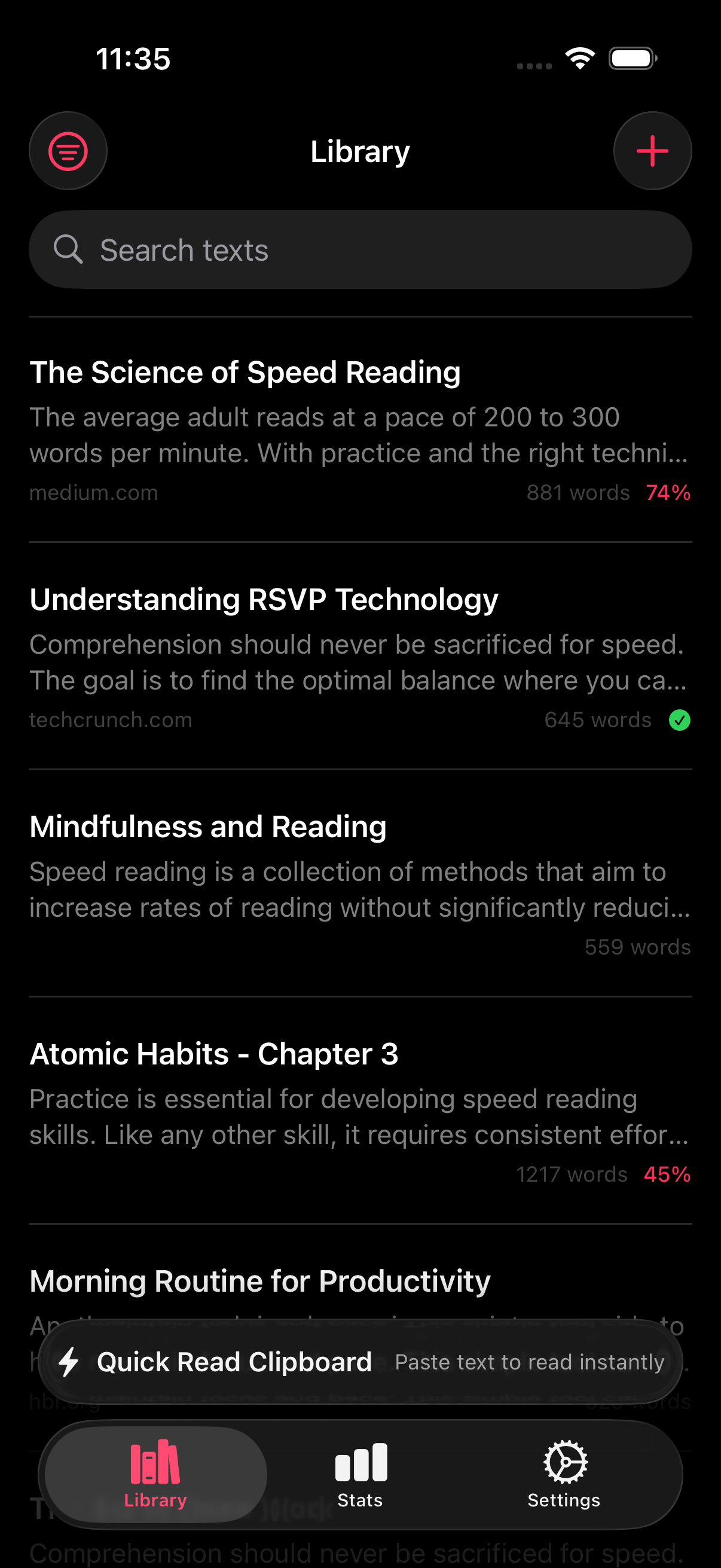
Start with saved progress. If you are reading a long article, a textbook excerpt, or a research paper, the app should save your place in a way that feels predictable. That belongs with bookmarks and resume. Then move to the library. A local-first library makes it easier to decide what stays on the device and what gets removed. Add stats. A reading history that measures sessions, words, and streaks can still fit a privacy-focused product if the measurement stays inside the reader workflow rather than turning into ad-tech profile building.
Here is the practical takeaway. Privacy is not the absence of features. Privacy is the presence of clear boundaries. A private reading app for iPhone can still have imports, saved sessions, progress tracking, optional sync, and automation. The question is whether each one is scoped tightly to the reading job.
How this compares with Apple Books and general readers
Apple Books is the comparison many iPhone users understand first, so it is a good reference point. Apple Books is strong for broad book reading and built-in ecosystem familiarity. RSVP Reader is built for a different job. It is for people who want to move text through a paced reading flow, pull in articles and documents quickly, and treat reading as an active workflow. If privacy is part of that evaluation, the comparison is less about which app is “more Apple” and more about which app keeps the reading job narrower and more deliberate.
The same applies when people compare with general article readers or audio tools. A private reading app for iPhone should keep the reading surface focused. That is why a page like RSVP Reader vs Apple Books matters. It helps searchers separate “default reading app” intent from “focused reading workflow” intent.
What to say on the site, and what not to say
This page should make three claims and stop there.
First, RSVP Reader is a private reading app for iPhone because the reading workflow starts on-device and does not require an account to begin. Second, the app uses permissions that map to visible tasks like scanning and import. Third, optional iCloud sync can extend continuity across devices when the reader wants that behavior.
It should not imply that privacy labels replace legal review. It should not imply that iCloud sync is active for everyone by default. It should not imply that “private” means “immune from all platform or user-configured sync behavior.” Clear language wins here.
Next steps for readers who care about privacy
If privacy is your first filter, keep the sequence simple. Check the App Store listing. Review the privacy information model Apple shows on the App Store. Then look at the workflows you actually need, such as import anywhere, bookmarks and resume, and privacy, permissions, and iCloud sync.
That sequence helps you answer the real question. Not “Is this app perfect?” but “Is this a private reading app for iPhone that handles my material in a way I can trust?” For readers who want speed without extra noise, that is the decision that matters.
Sources
- RSVP Reader: Speed Reading App. Apple App Store. April 1, 2026.
- About privacy information on the App Store and the choices you have to control your data. Apple Support. September 16, 2024.
- CloudKit. Apple Developer. Publication date not listed.
- Keep third-party app data up to date on all your Apple devices with iCloud. Apple Support. Publication date not listed.